
1
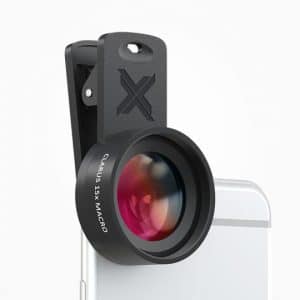
Blurry edges are often the result of the Xenvo lens not being accurately centered over the device's camera. By carefully positioning the Xenvo lens so that your device's camera is precisely in the center of the Xenvo lens, you can often greatly reduce or eliminate edge blurriness. Looking at the camera through the front of the Xenvo lens while you are positioning it on your device makes it easier to see when the Xenvo lens is properly centered. We have added a crosshair to the circular base of the lens clip to aid in getting the lens quickly and accurately aligned. Another factor to consider is that the macro lens has a very shallow depth-of-field. This means that there is a very small range of distance from the lens where things will be in focus and as an object gets farther away from this distance, it will become out of focus very rapidly. Shallow depth-of-field is inherent to macro photography and serves to create strong distinction between the sharply in-focus subject and the very out-of-focus background. Another way to say this is that it causes your subject to really pop out from the background. However, it can also present challenges in composing your shots that require experimentation and varying camera position until you achieve a desirable result.

The base of the tripod is 11" long and the phone mount with ball-head is 5" long. So, the overall height is about 16". When in use, the SquidGrip Tripod can hold your phone about 12" to 15" above the surface it is resting on. Of course, since the legs are so flexible, it is also easy to position your phone lower than that.
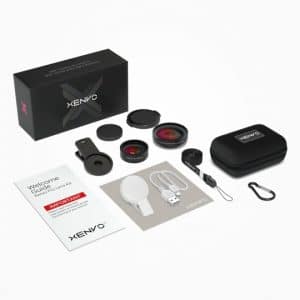
Dark corners and edges that appear in photos—known as vignetting—is most often caused by one of two factors. Either the Xenvo lens is not properly centered over your device's camera, or it is too far in front of your camera due to a thick phone case adding distance between the camera and the lens. By carefully positioning the Xenvo lens so that it is precisely centered over your device's camera, you can often eliminate vignetting. Looking at the camera through the front of the Xenvo lens while you are positioning it on your device makes it easier to see when the Xenvo lens is properly centered. We have added a crosshair to the circular base of the lens clip to aid in getting the lens quickly and accurately aligned. With some devices, the camera is situated farther from the edge of the device than with others. If the camera is farther from the edge than the lens clip can reach, centering the lens will not be possible and the Xenvo Pro Lens Kit will not be compatible with the device. Some cases will add enough distance between the camera and the edge of the device to make the lens clip unable to reach the camera. When this happens, removing the case or switching to a thinner case may allow the lens to be properly centered over the camera. Some cases are so thick that the lens sits too far away from the device's camera, causing vignetting. This can also usually be remedied by removing the device from the case or by switching to a thinner case.